MultiWindowSwitcher / every window, live
Every open and minimized window as a live preview in one grid. Hover the edge icon — see it, click — switch.
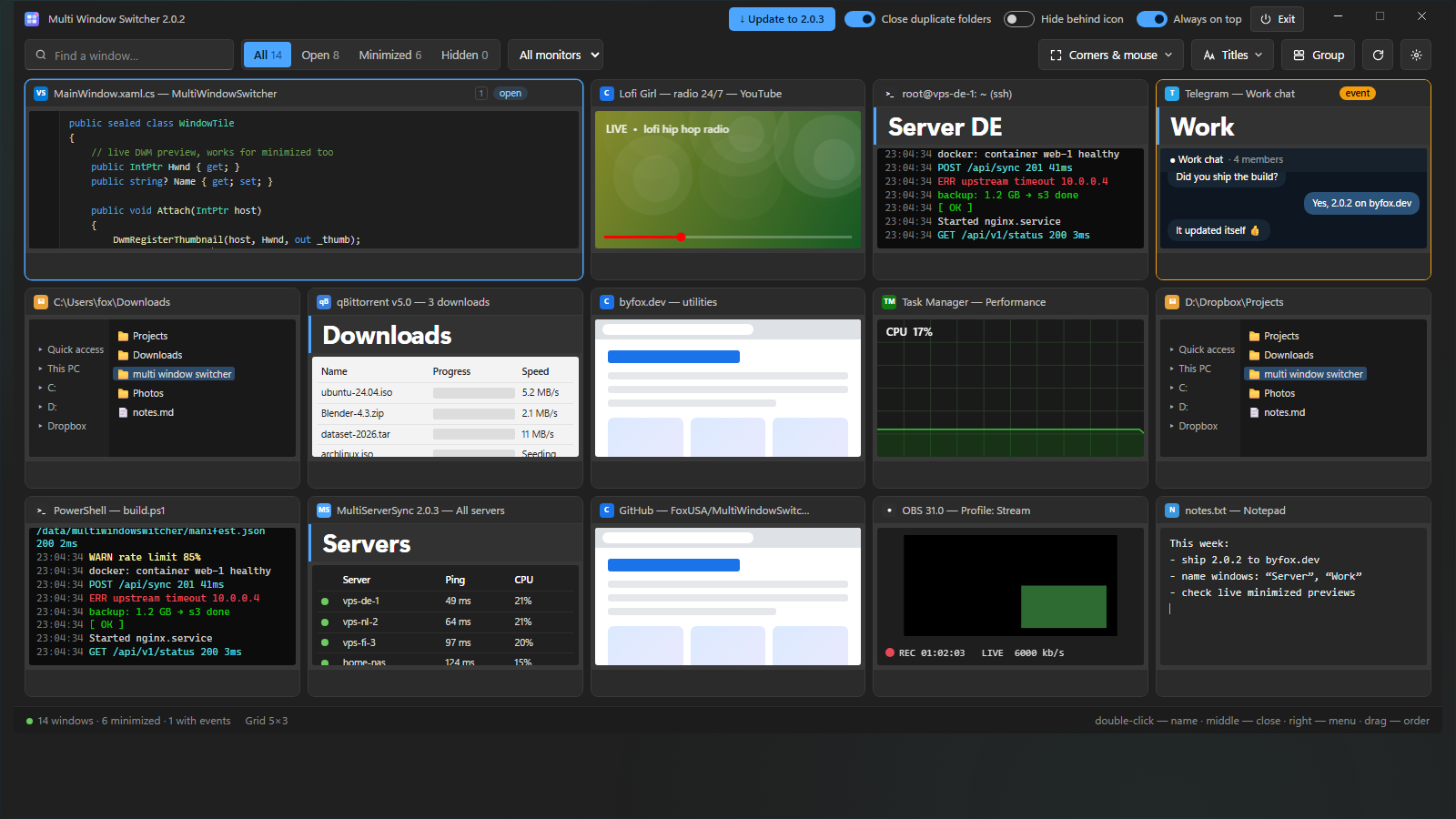


See what's going on in every window at once — minimized ones too. Pick one to switch, or just look and move the mouse away — it all slides off.
Live previews
Every window in an even grid, previews update live. Minimized ones too: the window quietly keeps rendering.
Slides in from the edge
Edge icon, hot corner or tray. It slides in over any app without moving anything and slides off by itself.
Your own names
Double-click to give a window a big name: “Server”, “Work”. It's recognized again after a restart.
Order
The grid fits any size. “Group” puts windows of the same app together, pinned ones first.
Events
A window flashes on the taskbar — its tile and the edge icon light up. You see at once where a message arrived.
All by mouse
Click — switch, wheel — enlarge, middle button — close, right button — menu.
Three steps to start
- Unpack the archive
- Run
MultiWindowSwitcher.exe - Hover the icon at the right edge