NetGeoAudit / network audit for Windows
Live firewall monitoring, rule management with risk scoring, system geo-audit. One window for everything happening on your network.
Perpetual, one machine
- 14-day full-feature free trial
- Perpetual key after purchase; v1.x updates included
- One machine per key; volume discounts from 5+
- Commercial use allowed
Features / what's inside
/ featuresNet Log Live
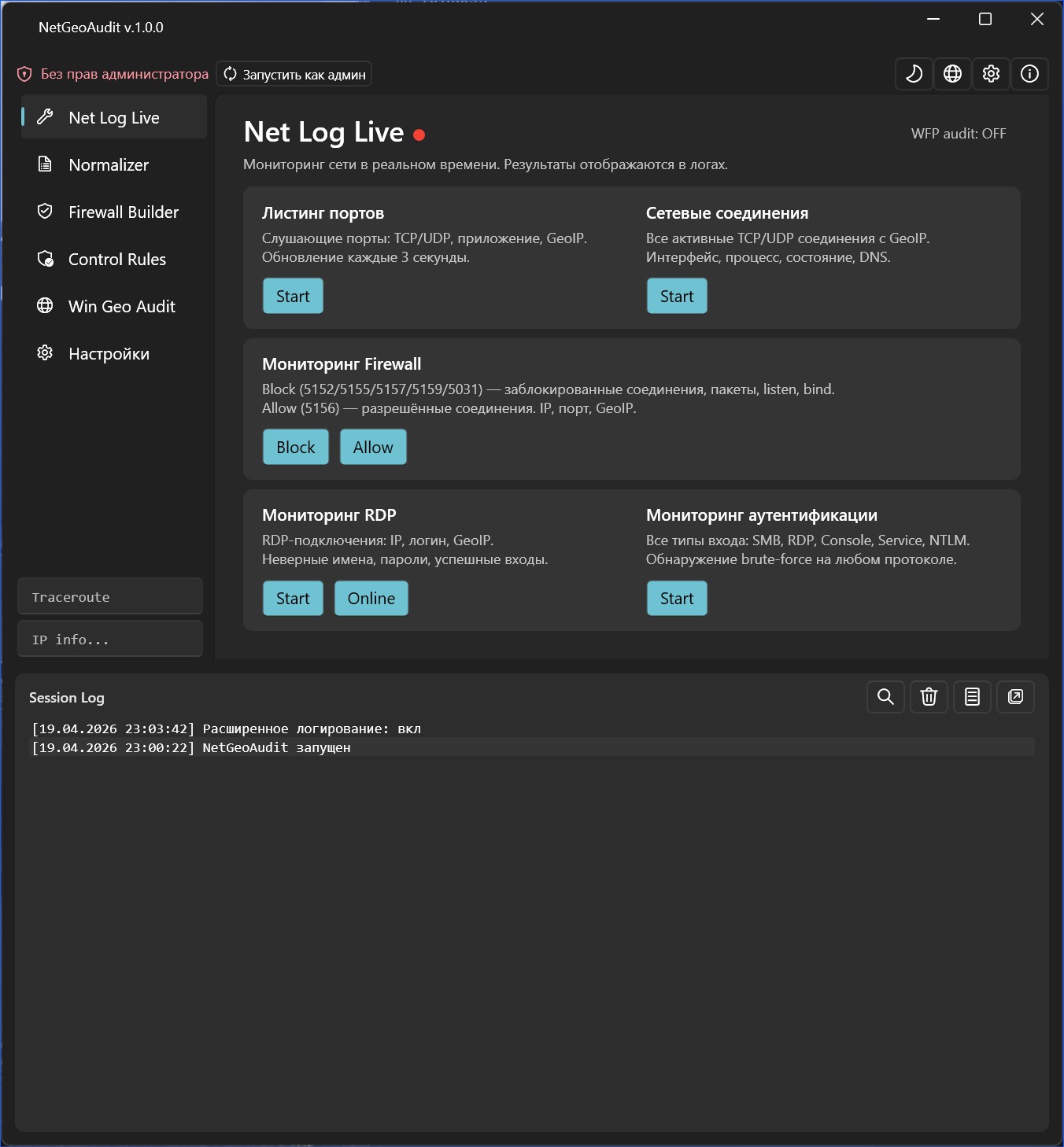
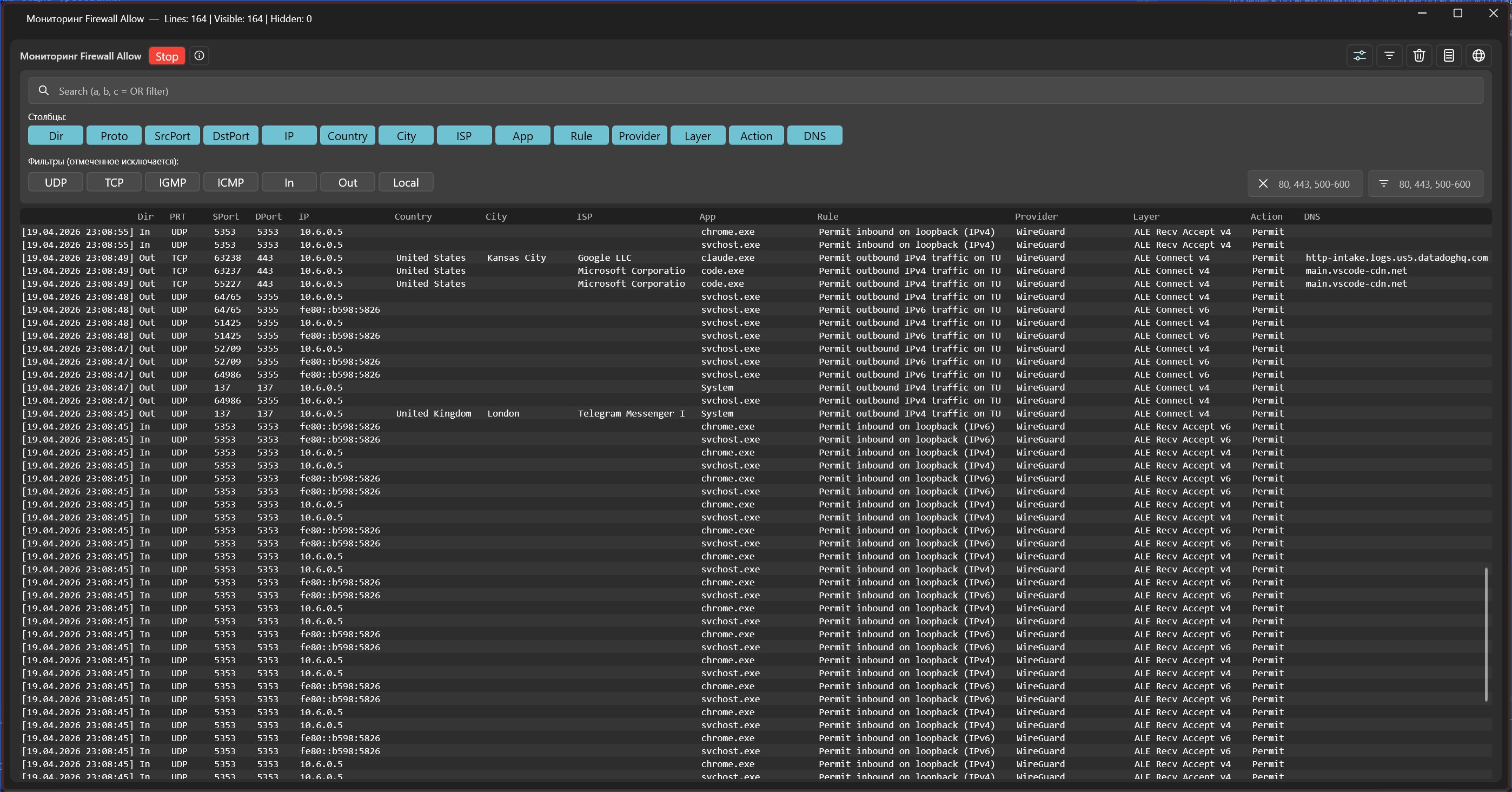
Live monitors through Windows Event Log and WFP: blocked packets (5152/5155/5157), allowed connections (5156), RDP sessions, authentication (SMB, NTLM, Console). Real-time updates with process attribution and GeoIP enrichment.
Firewall Builder
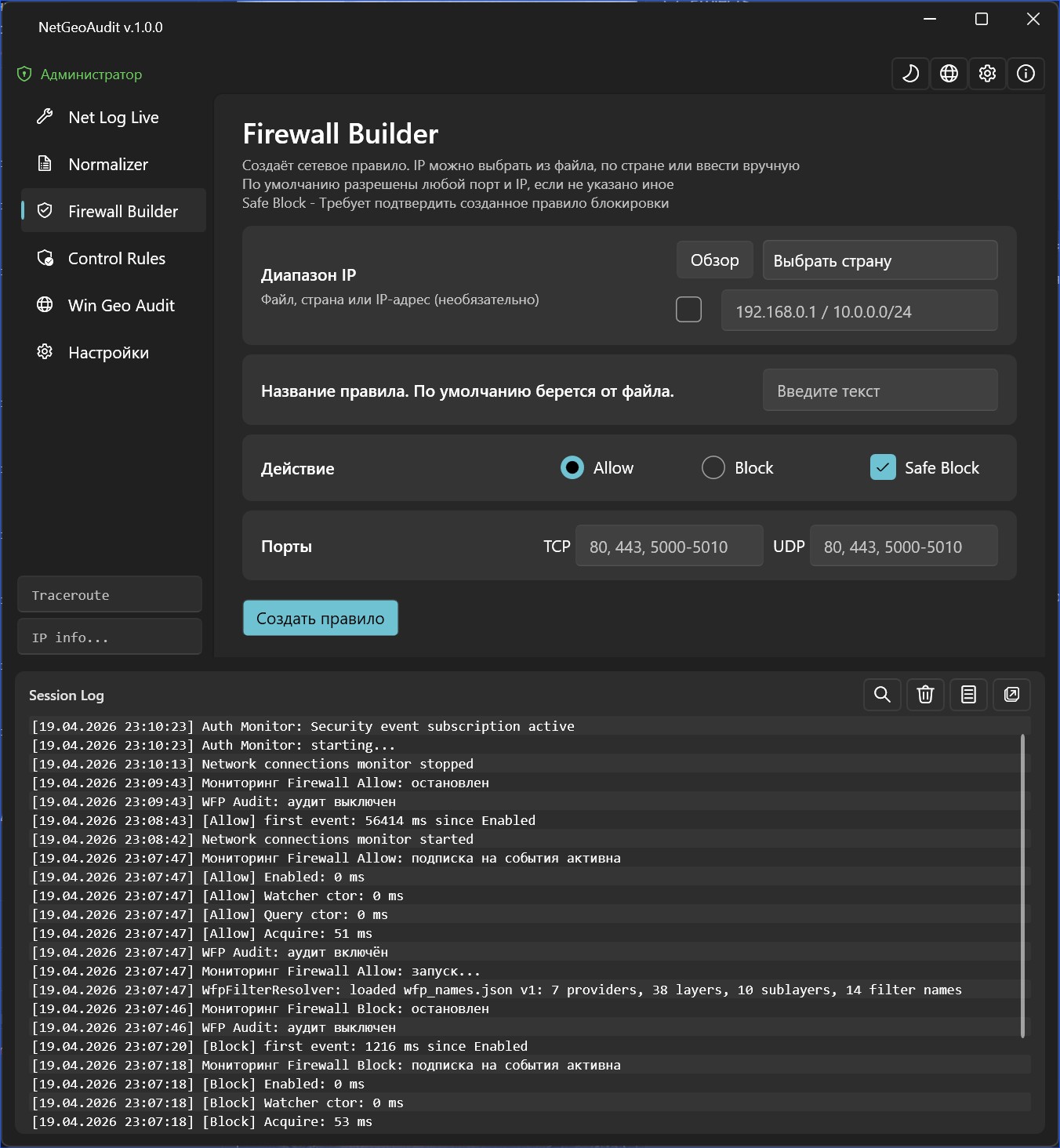
Create Windows Firewall rules from IP ranges, IP-list files, or entire countries. Safe Block — confirm before activating a block rule. Automatic chunking of large ranges around COM API limits.
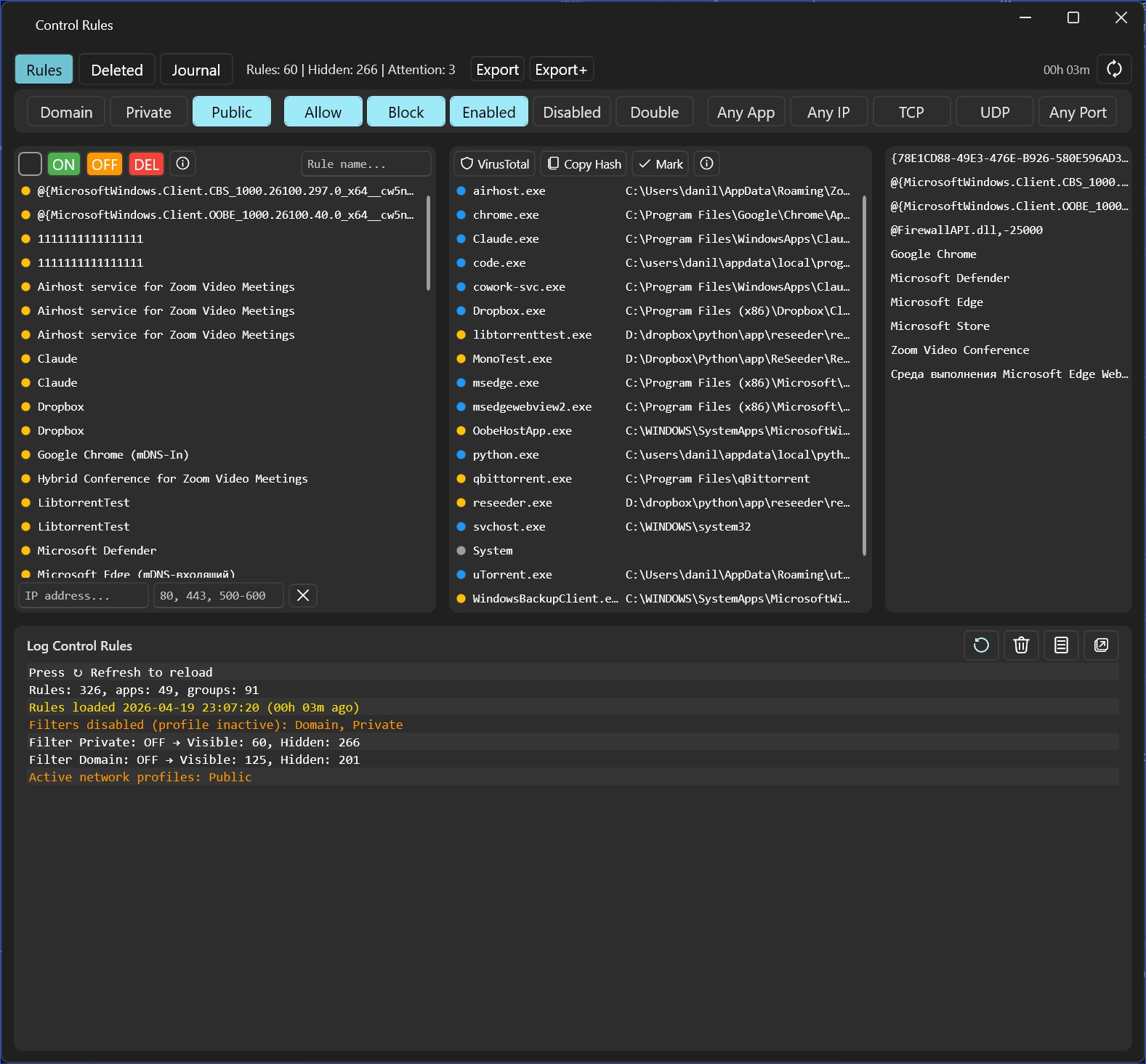
Control Rules
Full audit of firewall rules via COM API. 5-level risk scoring, grouping by application, 13 toggle filters (Public/Private/Domain, Allow/Block, Enabled/Disabled, TCP/UDP). VirusTotal integration by SHA-256.
Win Geo Audit
50+ system scanners: locale, registry, WMI, certificates, Telephony API, Wi-Fi Country Code, SIM MCC, public IP. 18-level country resolution chain, final verdict: "Windows installed in RU, user changed to DE".
Traceroute + GeoIP
Traceroute with per-hop geolocation via offline MaxMind GeoLite2 databases (City + ASN). IP Lookup right from the main window — up to 11 lines of detail: Continent, Country, Subdivision, City, ASN, ISP.
Normalizer
Normalize raw IP files into Firewall Builder format: parse CIDR, ranges, and individual IPs, merge overlaps, split by line-count limit. Test Limit — binary search for the largest rule size the current system accepts.
Screenshots / what it looks like
05 / viewsUtilitiesPage
event 5156
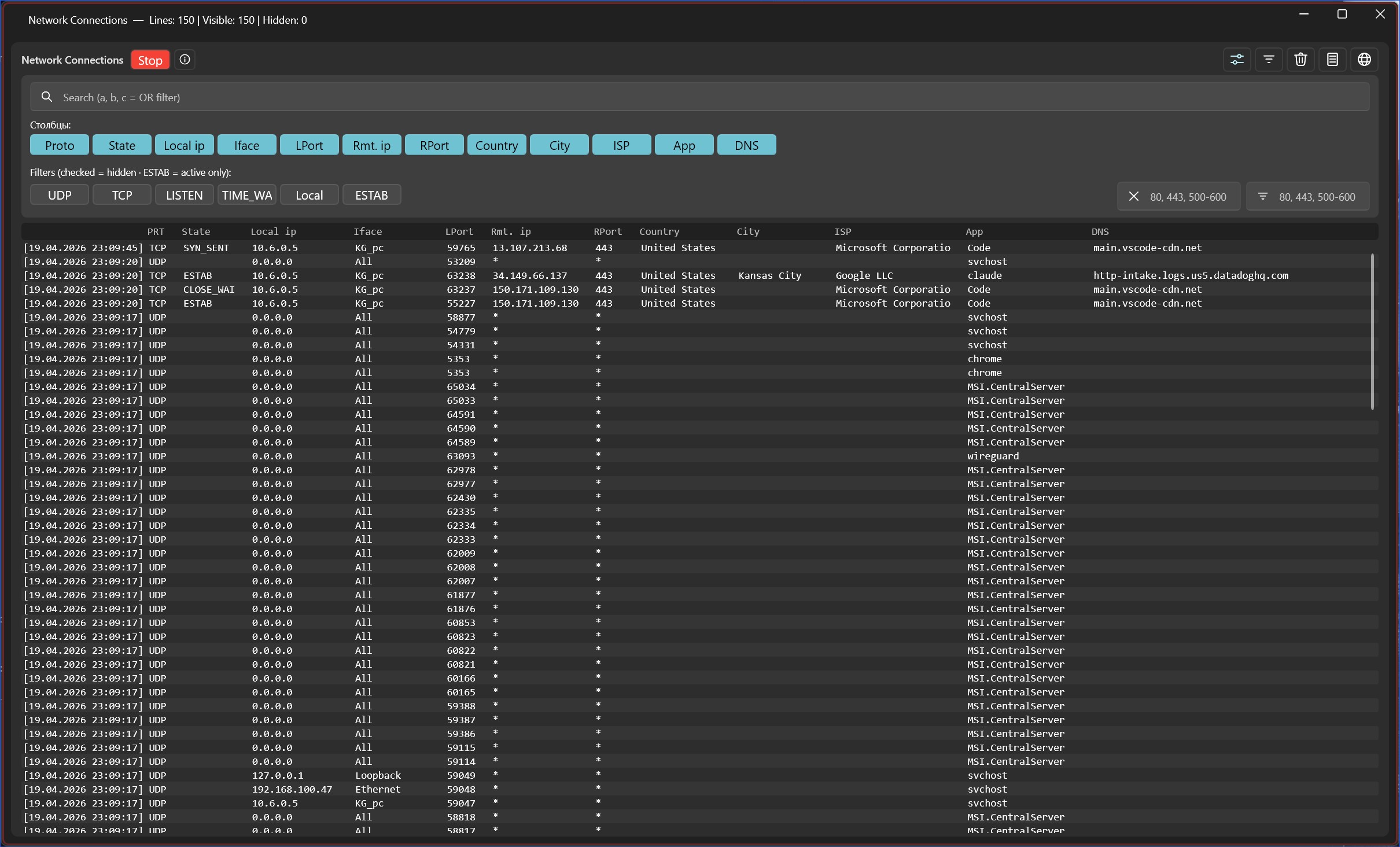
netstat + GeoIP
HNetCfg.FwPolicy2
COM API + scoring
Tech / how it's built
/ stackNetGeoAudit is written in .NET 9 and C# using WPF and the WPF-UI library for Fluent Design. Architecture is MVVM via CommunityToolkit.Mvvm, dependencies are injected through Microsoft.Extensions.DependencyInjection.
Under the hood: Windows Filtering Platform (WFP) and Event Log Watcher for live monitoring, the COM interface HNetCfg.FwPolicy2 for firewall rule management, Microsoft.Data.Sqlite for local storage, MaxMind GeoLite2 (City + ASN) for geolocation.
The "local and quiet" principle: all databases are offline, no external APIs for core functionality, no telemetry. A public IP is looked up only on explicit user request via ipify.org.
FAQ / common questions
07 / faqDo I need administrator rights?
Yes, for most features: WFP monitoring (Firewall Block/Allow), Windows Event Log reading, firewall rule management, registry and WMI geo-audit.
Without admin rights only IP Lookup, Traceroute, and part of Net Log Live work. Launching without admin shows a red "Run as admin" button on the main screen — one click restarts the app with the right privileges.
Does NetGeoAudit send my data anywhere?
No. Geolocation uses offline MaxMind GeoLite2 databases (City + ASN) shipped with the app. Firewall rules are stored in SQLite on your machine. No telemetry, no cloud, no analytics.
The only place the app talks to the internet is a public-IP lookup via api.ipify.org when you start Win Geo Audit. This can be disabled in Settings.
How is NetGeoAudit different from Wireshark?
Wireshark is a packet analyzer at the network-adapter level (libpcap/npcap). It sees every packet with every protocol header — a powerful tool for protocol decoding.
NetGeoAudit works through Windows Filtering Platform (WFP) and Event Log. It shows firewall-level events: which connection is allowed, which is blocked, which program started the traffic, which rule fired — all enriched with GeoIP.
Roughly: Wireshark is for decoding bytes inside packets. NetGeoAudit is for answering "who is connecting right now" and "why is this rule blocking".
How does Win Geo Audit work?
It scans 15 source groups: Windows API (locale, timezone), HKCU/HKLM registry, DNS/NTP/Wi-Fi, WMI, certificates, Telephony API, Windows Store region, .NET CurrentCulture, SIM MCC (if a modem is present), public IP via MaxMind.
The analysis module produces a verdict across 6 sections: real location, user settings, system install traces, certificates, indirect indicators (currency, date format, measurement system, first day of week), final verdict.
The output reads something like "Windows installed in RU, user changed to DE" or "All settings match, real country is RU". If a VPN is detected — a warning is raised.
Can I use it for commercial audits?
Yes. The $50 license is perpetual, per-machine, commercial use included (workstation audits, client reports, internal network monitoring).
Auditing multiple PCs needs one license per machine. Volume discounts on request: 5+ licenses, 10+, corporate deals. Email email.
What happens after the trial?
For 14 days all features work without restriction. After the trial the app stops launching until a license key is entered.
Nothing gets deleted — created firewall rules stay on your system, exported logs stay on disk, settings are preserved. Enter the key and you pick up right where you left off.
Does it work on Windows Server?
Partially. Firewall and RDP monitoring — yes, actively tested on Server 2019/2022. DnsCacheService automatically falls back to polling ipconfig /displaydns on Server editions (ETW DNS events behave differently there).
Parts of the geo-audit are N/A: SIM MCC (no modem usually), Wi-Fi Country (no wireless adapter usually). The remaining scanners work the same as on desktop.
Server 2016 should work but isn't tested regularly. Server 2012 R2 is not supported — requires .NET 9, which doesn't install there.